Webhooks let you receive real-time events when a new deployment is created. Use them to trigger CI/CD steps, purge caches, notify downstream systems, or kick off analytics pipelines.

Create a Webhook

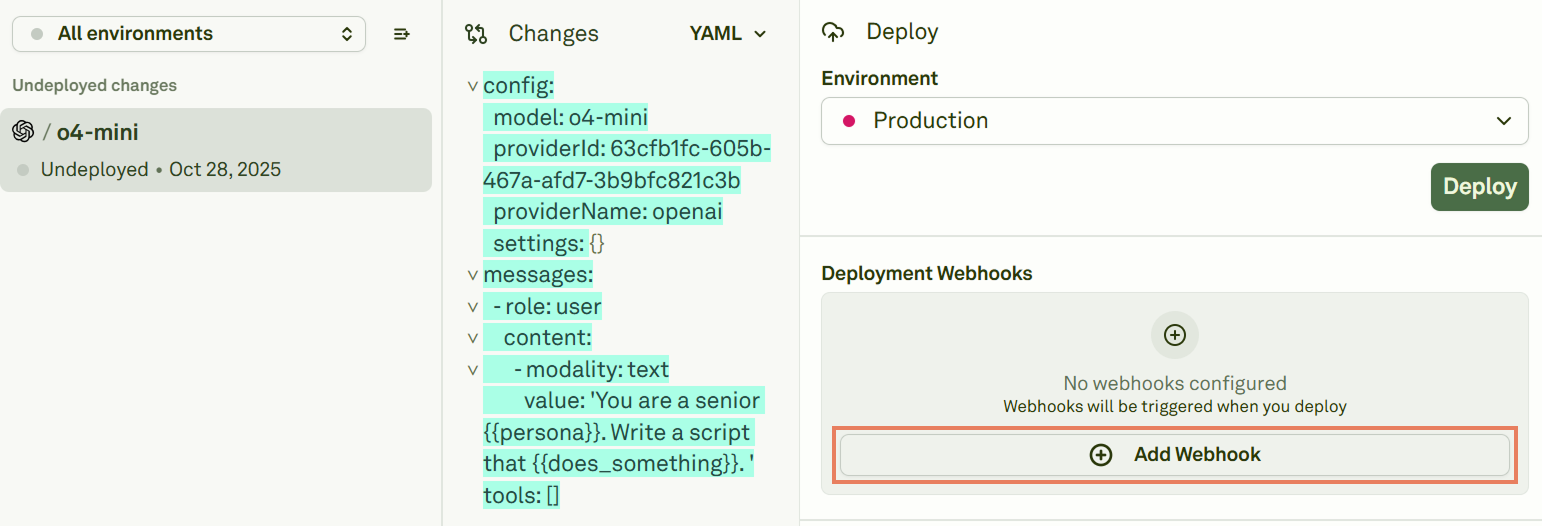
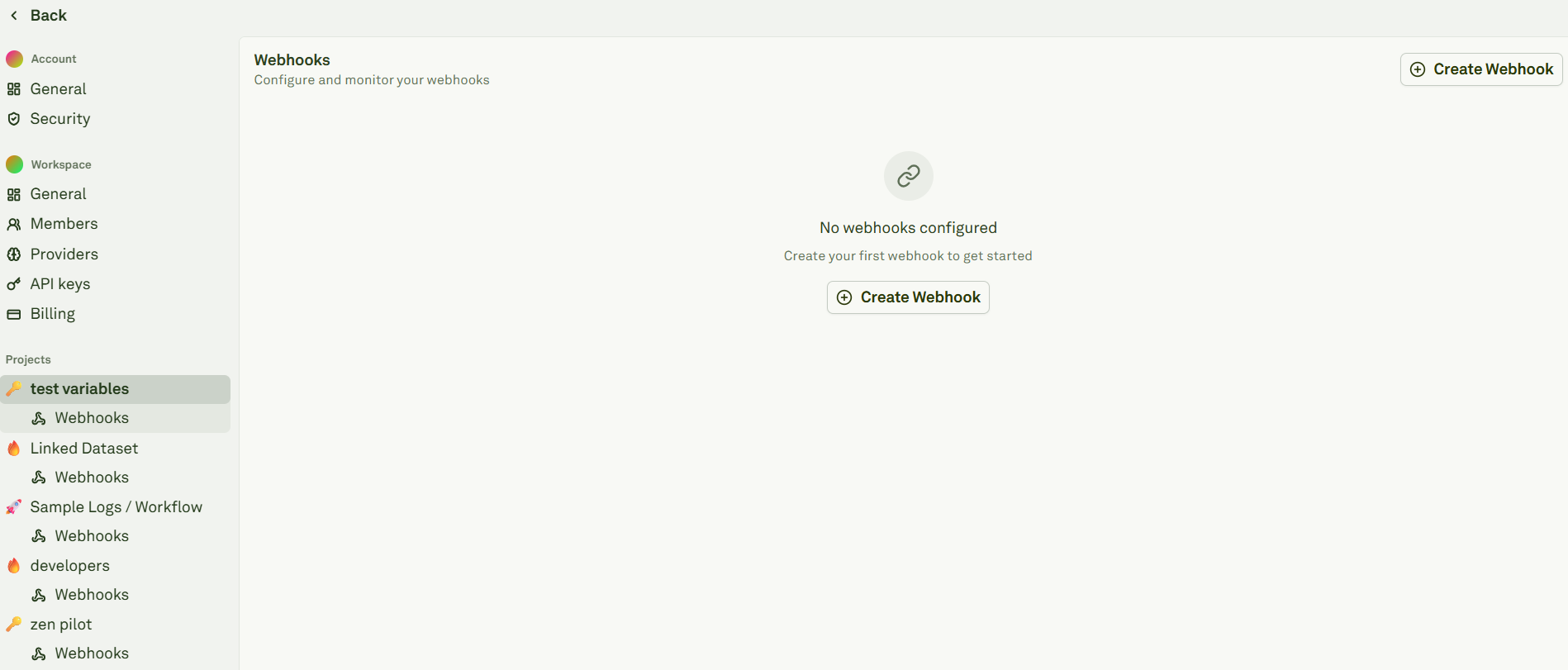
You can create webhooks following two paths:
  • From Adaline’s main page click on Settings. Under each project you will see a Webhooks section: Webhooks in Adaline's settings
  • From an undeployed project: Webhooks in Adaline's projects

Configure a Webhook

When creating a new webhook, Adaline will provide you with the following space: Configure Webhooks in Adaline Provide the following:
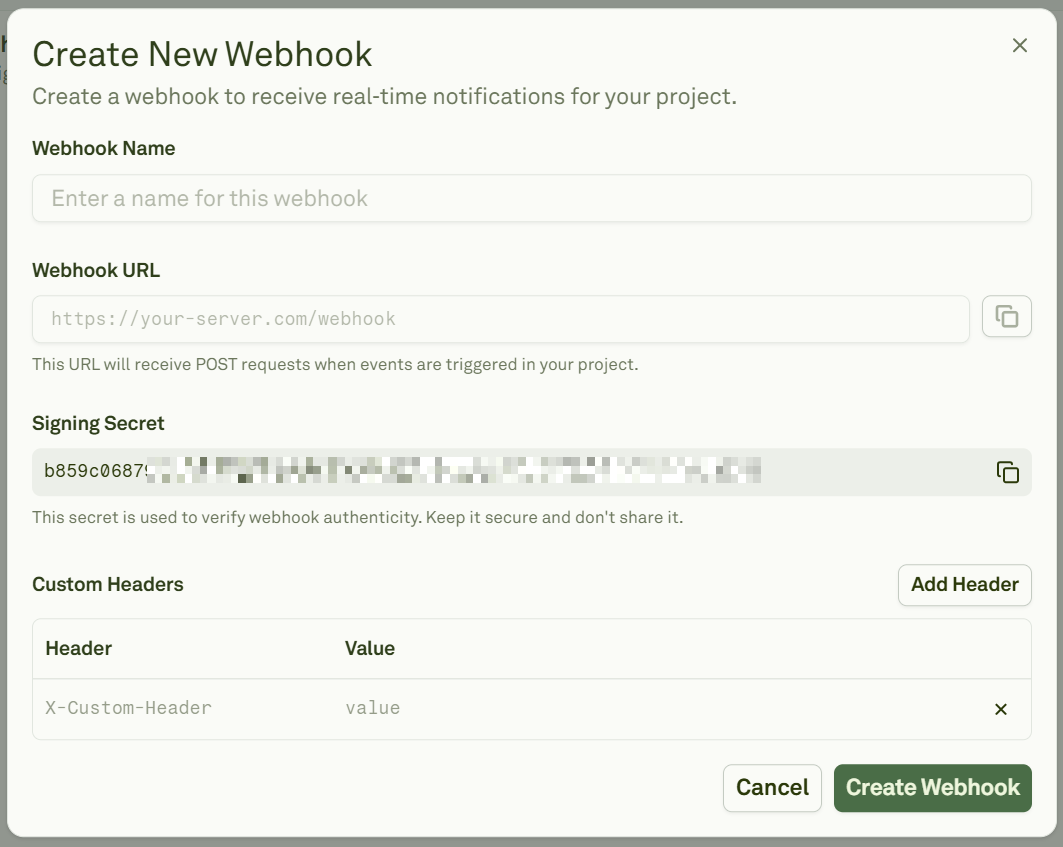
  • Webhook Name: A short name for your destination.
  • Webhook URL: The HTTPS endpoint to receive event.
  • Signing Secret: Adaline generates this for you. Copy and store it securely.
  • Custom Headers: Add custom headers your endpoint expects. Webhooks automatically subscribe to the create-deployment event.
Currently, Adaline emits a single project event called create-deployment. This event is fired whenever a new deployment snapshot is created for a prompt bench and environment. Below is how a payload for this event should look like:
{
  "type": "create-deployment",
  "eventId": "ev_01J...",
  "createdAt": 1731024000000,
  "payload": {
    "deploymentSnapshotId": "ds_01J...",
    "deploymentEnvironmentId": "env_01J...",
    "promptBenchId": "pb_01J...",
    "editorSnapshotId": "es_01J..."
  }
}
Below is how to configure headers:
  • Method: POST (JSON body)
  • Content-Type: application/json
  • Signature header: X-Webhook-Signature
When a payload is present, Adaline attaches an X-Webhook-Signature header. The value contains a timestamp and one or more signatures to support secret rotation. Below is the header format:
t={timestamp}&v1={sig1},{sig2}
Where each signature is an HMAC‑SHA256 over the message:
"{timestamp}.{json_string}"

Verify Signatures

Below is a concise TypeScript example that parses the signature header and verifies it against your signing secret:
import crypto from "node:crypto";

// Header format: "t={timestampMs}&v1={sig1},{sig2}"
export function parseSignatureHeader(signatureHeader: string): {
  timestampMs: number;
  signatures: string[];
} {
  let timestampMs = 0;
  let signatures: string[] = [];

  for (const pair of signatureHeader.split("&")) {
    const [key, value = ""] = pair.split("=", 2);
    if (key === "t") timestampMs = Number(value) || 0;
    if (key === "v1") signatures = value.split(",").filter(Boolean);
  }

  return { timestampMs, signatures };
}

export function isValidWebhookSignature(
  rawBody: string,
  signatureHeader: string,
  secret: string,
  options?: { toleranceMs?: number }
): boolean {
  const { timestampMs, signatures } = parseSignatureHeader(signatureHeader);
  if (!timestampMs || signatures.length === 0) return false;

  // Optional: reject requests outside your allowed timestamp tolerance window

  const message = `${timestampMs}.${rawBody}`;
  const expected = crypto.createHmac("sha256", secret).update(message).digest("hex");
  return signatures.includes(expected);
}
You may optionally enforce your own timestamp tolerance. Adaline does not mandate one. Inputs are as follows:
  • raw_body: The exact request body string.
  • header: The X-Webhook-Signature value.
  • secret: Your signing secret.

Test Webhooks

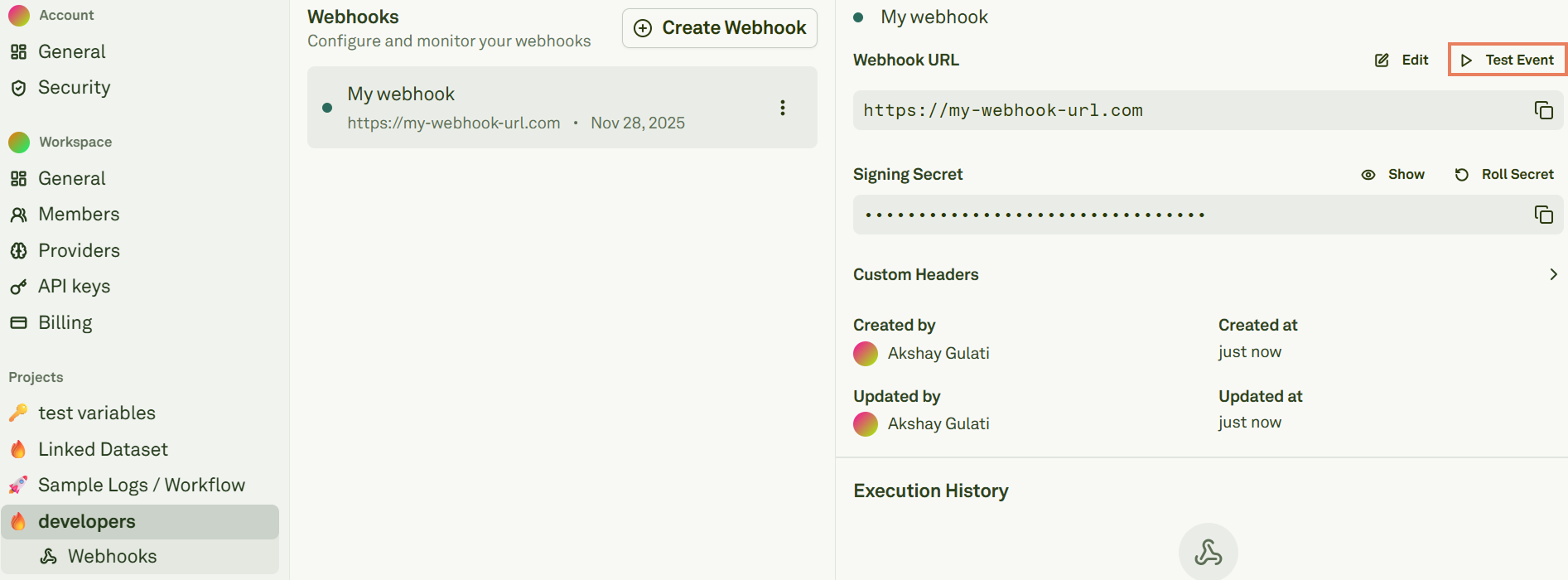
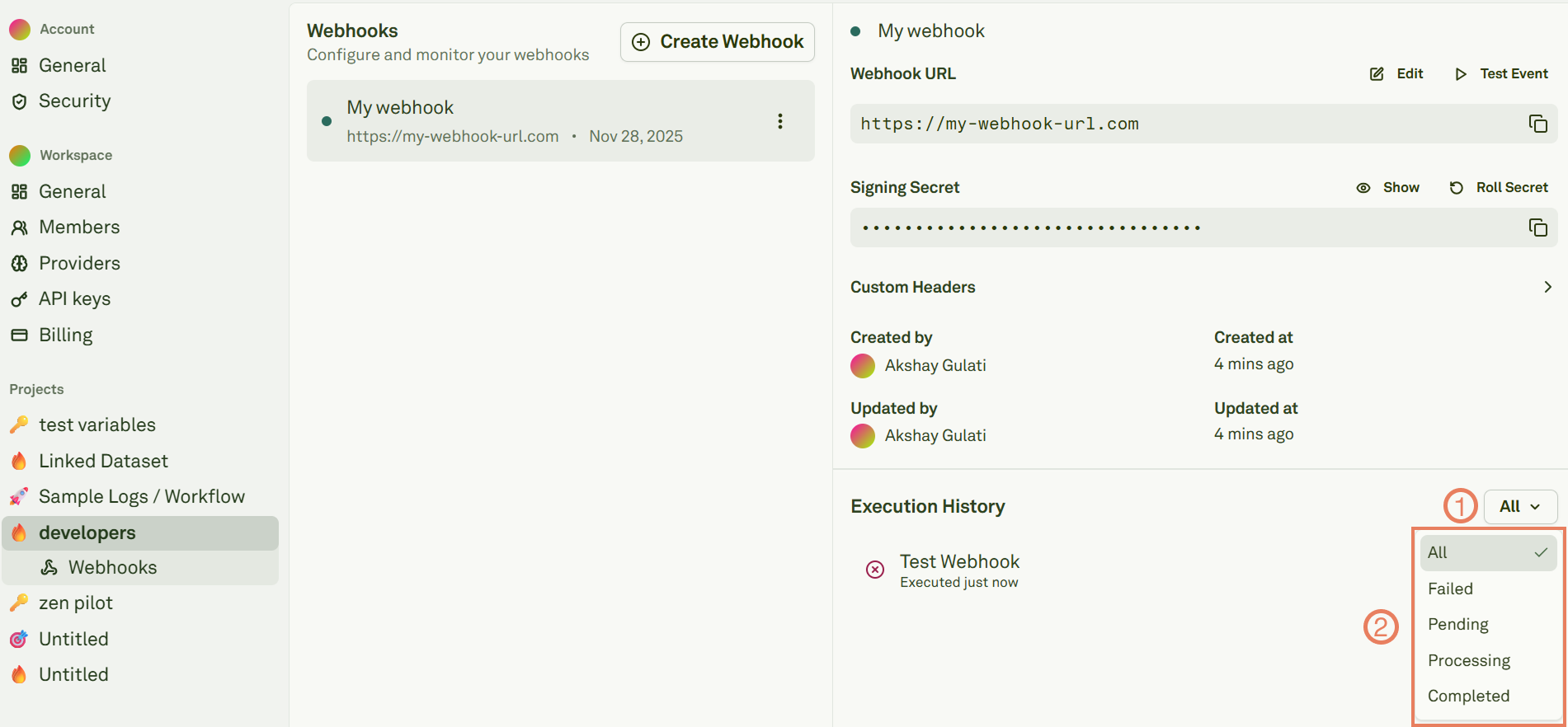
From the webhook details page, click “Send Test Event” to confirm connectivity and signature validation: Testing webhooks events Review the attempts in Execution History: Testing webhooks events Your endpoint should return 200 OK after verifying the signature.
Roll Secrets

Roll the signing secret from the Webhook details page: Roll secrets When you roll a secret:
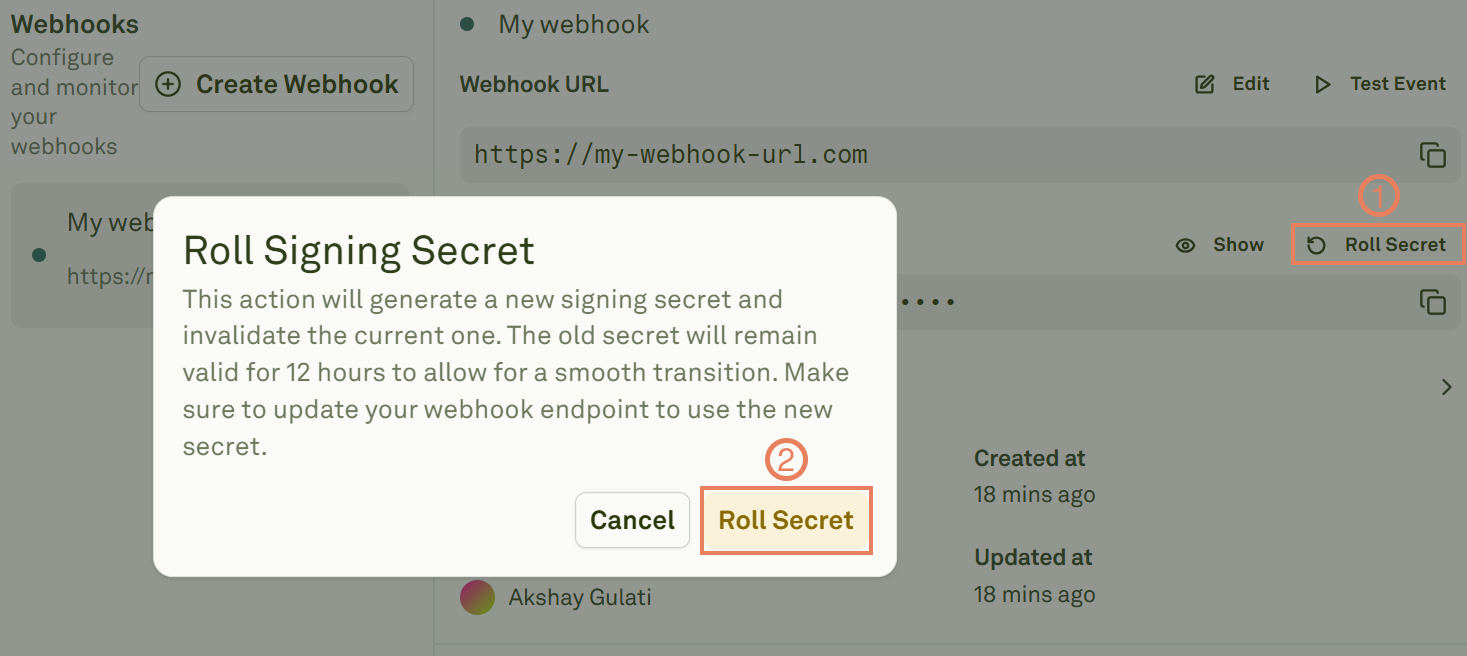
  • Adaline creates new primary secret immediately.
  • The previous secret is retained as a “rolled secret” and remains valid for 12 hours.
  • During this time window, X-Webhook-Signature may include multiple signatures so your server can accept either secret.

Troubleshooting

In case you need troubleshooting, consider the following:
  • Your endpoint returns a 400 or 401 error: Confirm you parse the full raw request body before verification.
  • Signature mismatch: Check clock skew and ensure you use the same {timestamp}.{payload} concatenation.
  • No header present: Ensure a signing secret is configured and the event includes a body.