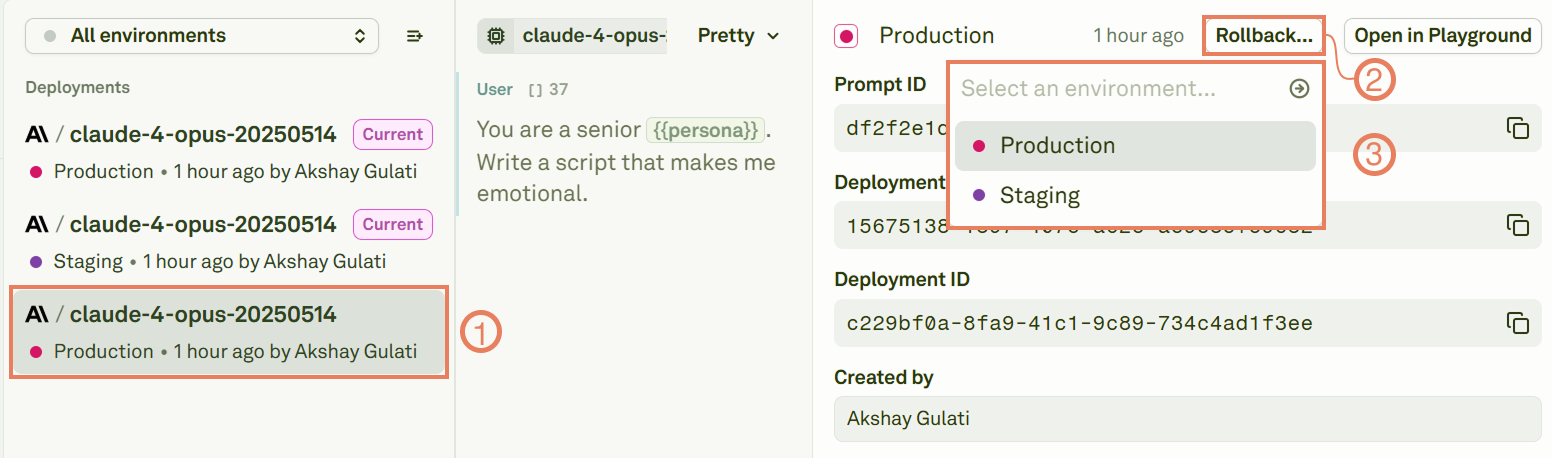
Rollback lets you quickly restore a previous version of your deployed prompt when something goes wrong. Instead of manually recreating old configurations, you can instantly return to any earlier deployment by deploying an older version to the same environment.

Read the Deployments History

The left zone of the deployment space reports the deployments history: Deployments history The above image shows that:
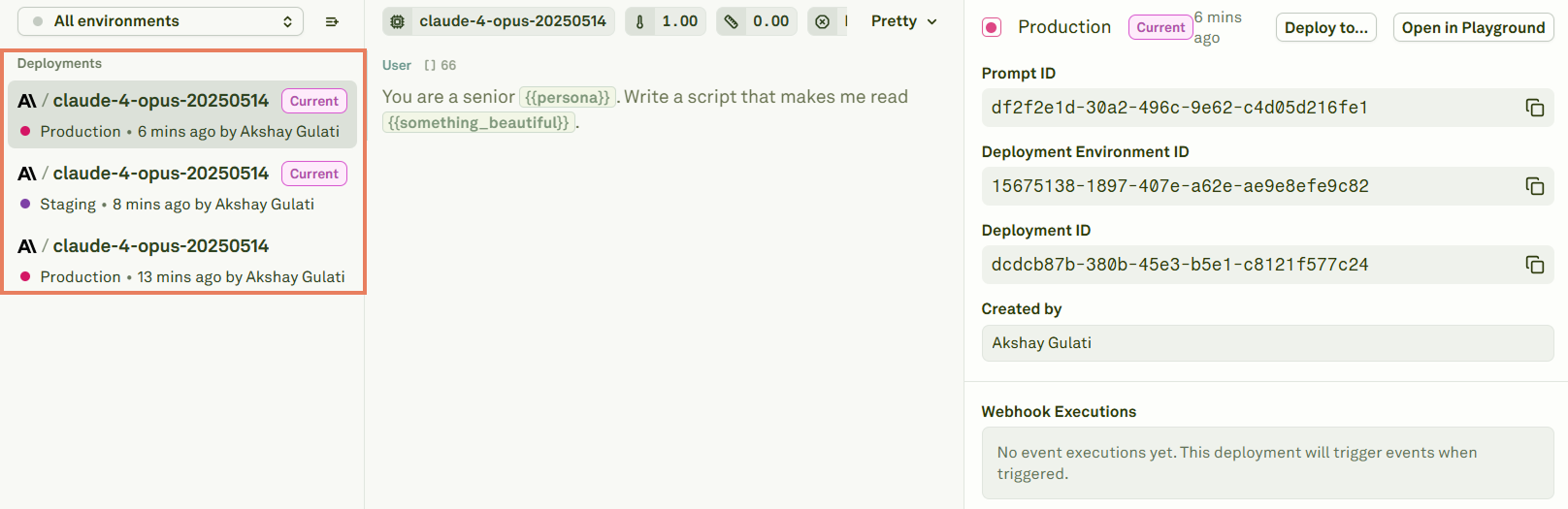
  • The prompt on top is the one currently deployed into the production environment.
  • The prompt in the middle is the one currently deployed into the staging environment.
  • The prompt at the bottom was previously deployed into production, but now is not deployed.

Rollback

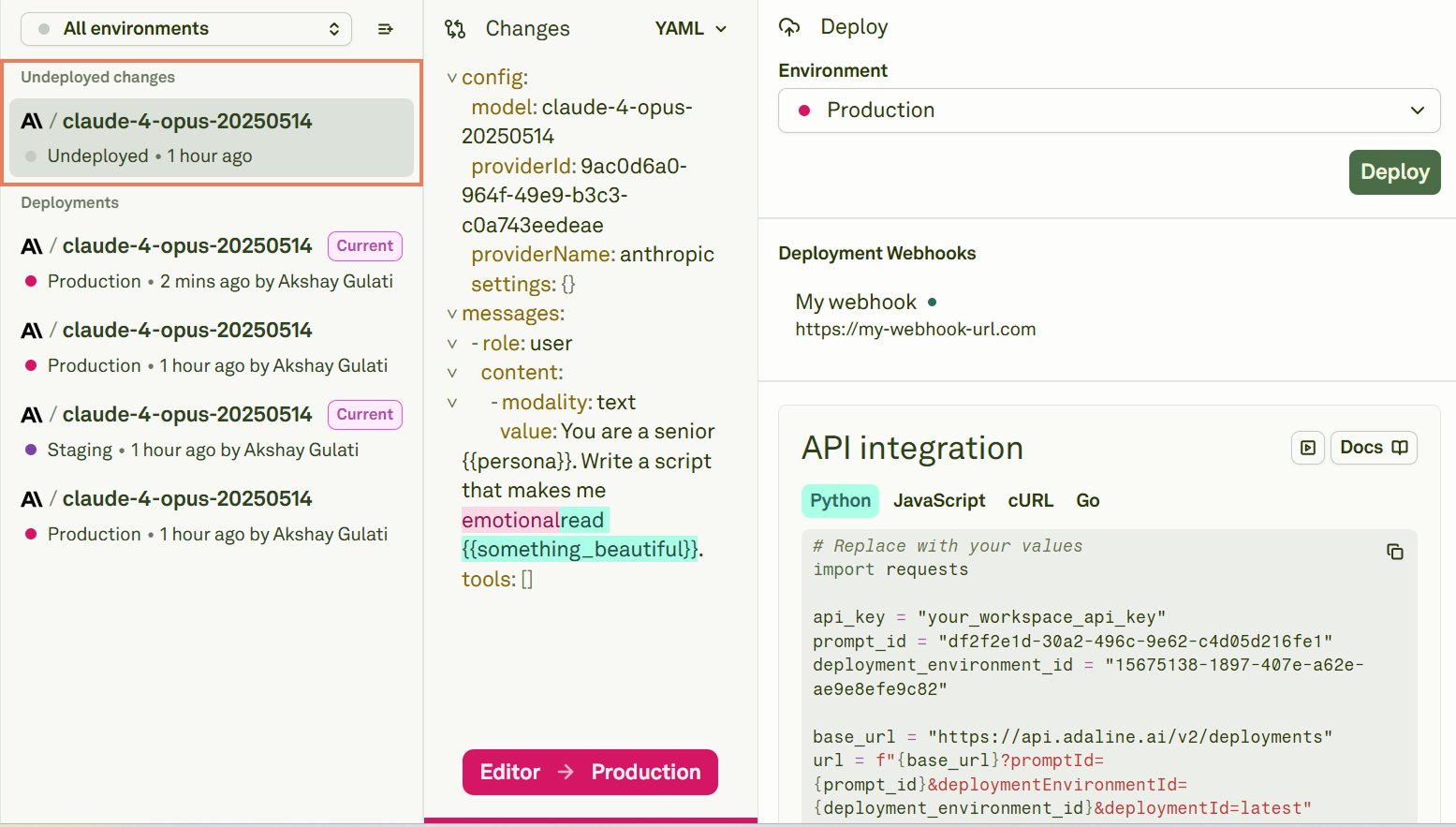
To rollback to a previous prompt version, select an undeployed prompt and click on Rollback: Rollback with deployed prompts Select the environment you want the prompt to rollback to among the available ones and the rollback is done. Now, Adaline will provide you with a new undeployed prompt. This contains the prompt that was previously deployed to the target environment you used for rolling back: Previously deployed prompt