The JavaScript Evaluator allows you to write custom JavaScript for matching exact pattern detectable via code.
TIP: When writing the JavaScript evaluator function, ensure that it returns the correct object format that this method expects.
Select the JavaScript evaluator
Define JavaScript code to evaluate the LLM response
Give a name to the evaluator, link a dataset to it, and write your custom JavaScript code after the line // start: write your logic here. Uncomment the parts of the code that corresponds to the data, based on your specific case.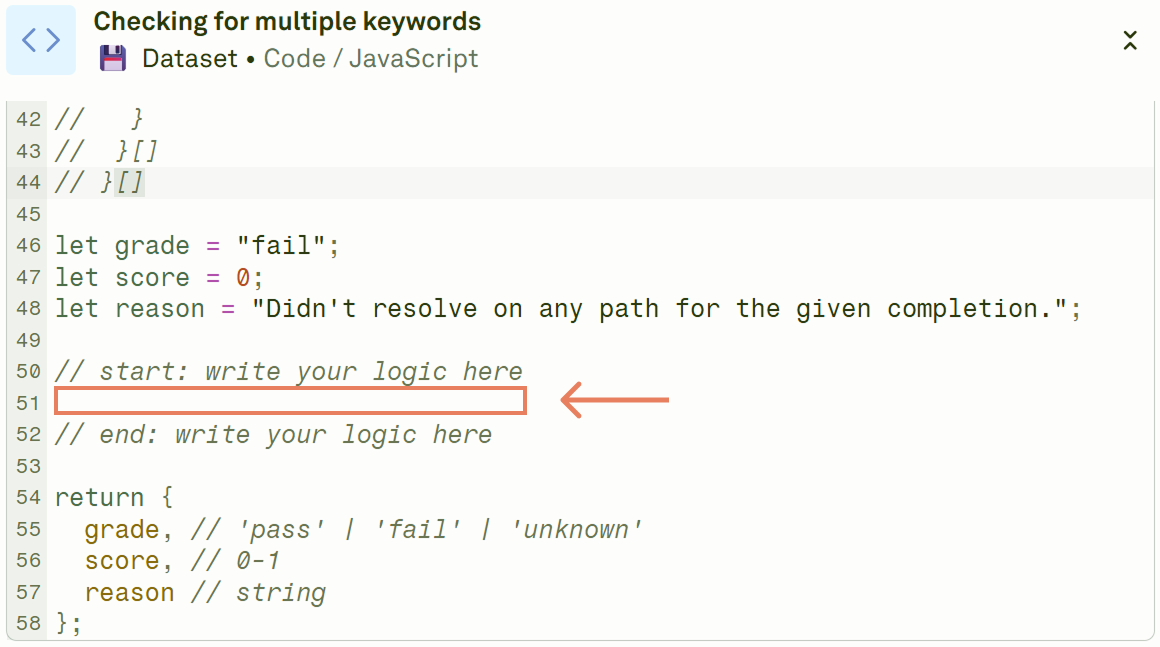
Execute the evaluation and see the results
Click on Evaluate to run the evaluation and see the results.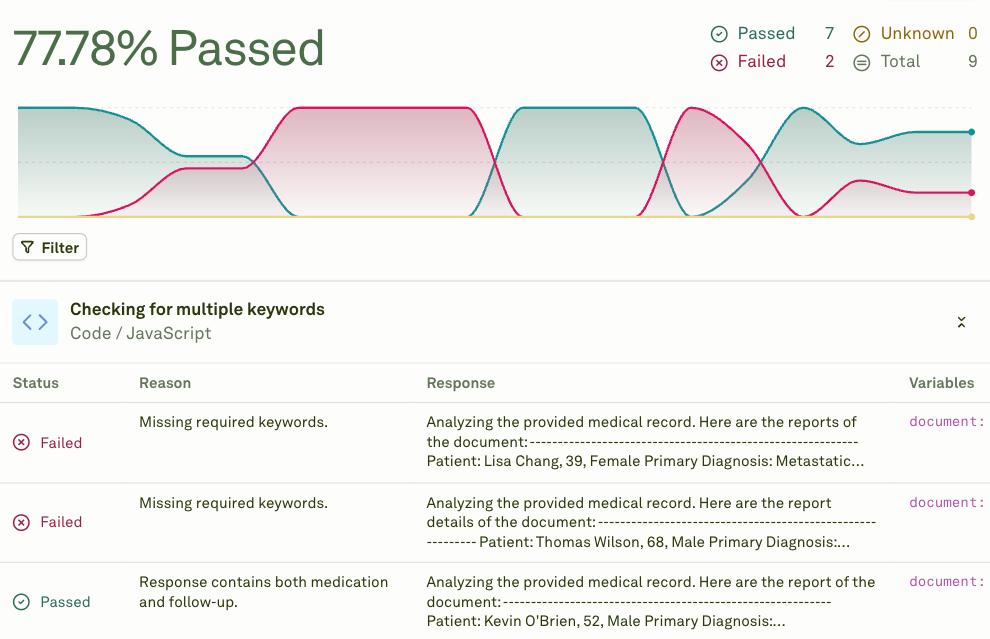
Defining Your Custom JavaScript Code
When adding a new JavaScript evaluator, Adaline provides you with some predefined code. The first part defines the schema you have to adhere. The second part is actual code that you need to run as is. Below is the complete code:
// data.completion: string
// data.variables: Record<string, string>
// data.response: {
//   role: string,
//   content: {
//     modality: "text",
//     value: string
//   } | {
//     modality: "image",
//     detail: "auto",
//     value: {
//       type: "url",
//       url: string,
//     }
//   } | {
//     modality: "image",
//     detail: "auto",
//     value: {
//       type: "base64",
//       base64: string,
//       mediaType: "png" | "jpeg" | "webp" | "gif",
//     }
//   } | {
//     modality: "tool-call",
//     index: number,
//     id: string,
//     name: string,
//     arguments: string
//   } | {
//     modality: "tool-response",
//     index: number,
//     id: string,
//     name: string,
//     data: string
//   } | {
//     modality: "reasoning",
//     value: {
//       type: "thinking",
//       thinking: string,
//       signature: string,
//     }
//   }
//  }[]
// }[]

let grade = "fail";
let score = 0;
let reason = "Didn't resolve on any path for the given completion.";

// start: write your logic here

// end: write your logic here

return {
  grade, // 'pass' | 'fail' | 'unknown'
  score, // 0-1
  reason // string
};
data object. The lines of code commented in the above snippet defines the data model schema. The JavaScript code you write must adhere to that schema. In particular, consider that:
data.completion is the output the LLM returns, in a stringified version.data.variables intercepts the values of the variables used to get the response.data.response is the format for Adaline’s response. You can use it to check the tool calls, the modality of the response, and more.
Below are some examples of custom JavaScript you can write to get started with the JavaScript evaluator:
- Check if the response includes certain words: The following code checks if the
data.completion string includes the text “Analyzing the”. It returns a “pass” object if it does, and a “fail” object if it does not.
// start: write your logic here
if (data.completion.includes('Analyzing the')) {
  grade = 'pass';
  score = 1;
  reason = 'Response contains "Analyzing the".';
} else {
  grade = 'fail';
  score = 0;
  reason = 'Response does not contain "Analyzing the".';
}
// end: write your logic here
- Check if the variables have a certain value: The following code performs a check to ensure the
data.variables string contains the value “Python developer”. It returns a “pass” object if it does, and a “fail” object if it doesn’t.
// start: write your logic here
if (data.variables && Object.values(data.variables).includes("Python developer")) {
  grade = 'pass';
  score = 1;
  reason = 'A variable with the value "Python developer" was found.';
} else {
  grade = 'fail';
  score = 0;
  reason = 'No variable with the value "Python developer" was found.';
}
// end: write your logic here
- Check if the response has a specific modality: The following code performs a check to ensure the
data.response has a text modality. It returns a “pass” object if it does, and a “fail” object if it does not.
// start: write your logic here
if (data.response && data.response.some(res =>
    res.content.some(cont => cont.modality === 'text')
)) {
  grade = 'pass';
  score = 1;
  reason = 'A response with modality "text" was found.';
} else {
  grade = 'fail';
  score = 0;
  reason = 'No response with modality "text" was found.';
}
// end: write your logic here


