
LLM-as-a-Judge is the most versatile evaluator in Adaline. It uses an LLM to assess your prompt outputs against a custom rubric. This evaluator excels at qualitative assessment, where nuanced judgment matters more than simple metrics. The steps below describe how to set up the LLM-as-a-Judge evaluator:
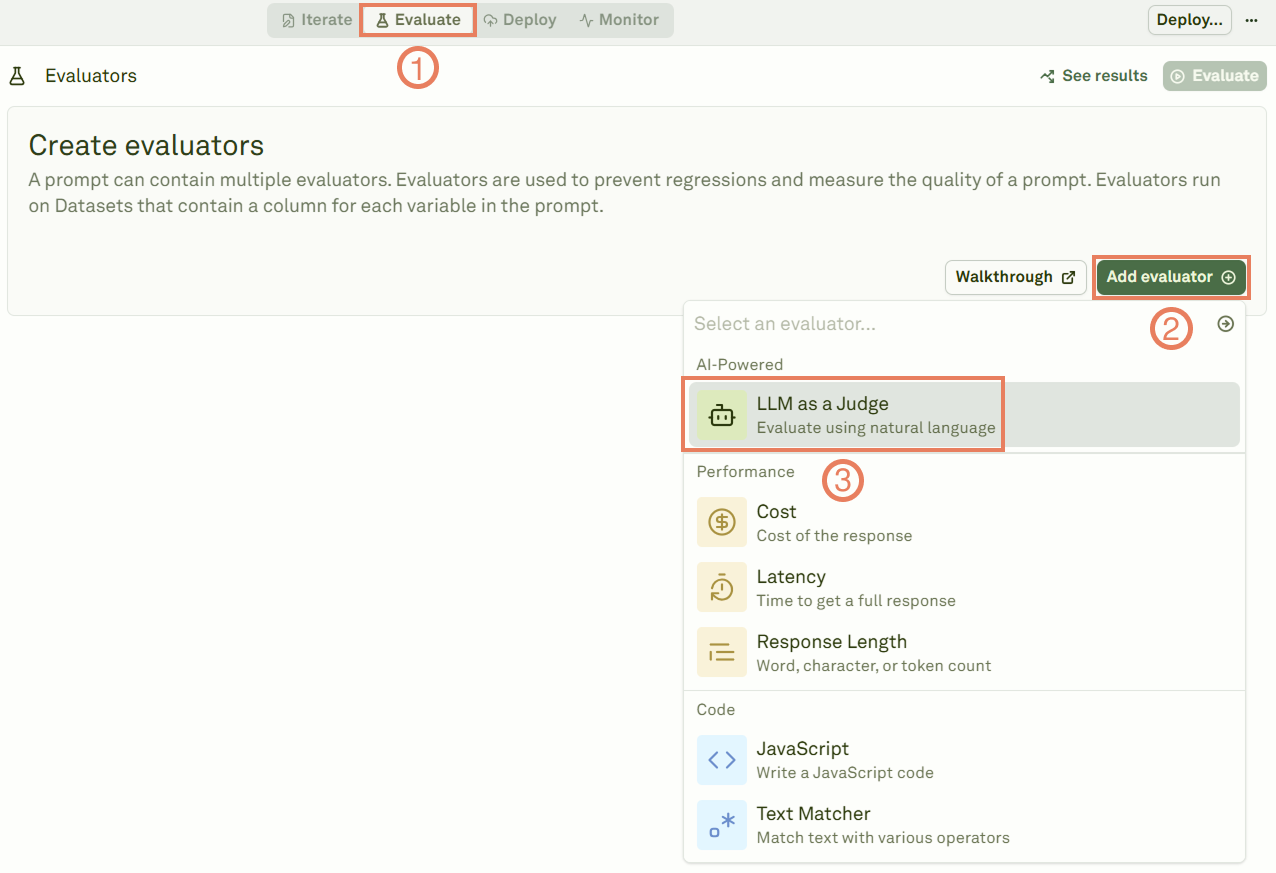
1

Select the LLM as a Judge evaluator

Adding the LLM-as-a-judge evaluator
2

Link a dataset

Give a name to the evaluator, and link a dataset to it.Linking datasets to LLM-as-a-Judge
3

Define your rubric

The rubric affects the quality of the evaulation. To make the evaluation qualitatively effective, your rubric should be specific, actionable, and aligned with your success metrics.Defining rubrics for LLM-as-a-Judge
4

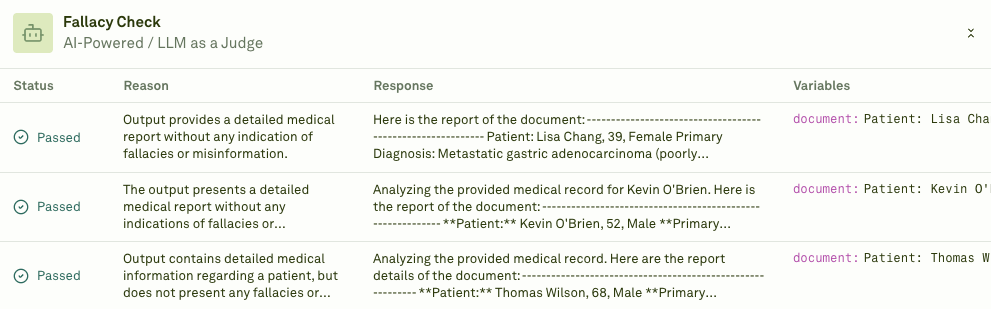
Execute the evaluation and see the results

Click on Evaluate to run the evaluation and see the results.Results of the LLM-as-a-Judge evaluation
Below are some examples of custom rubrics you can use to get you started:
  • Evaluating chatbot responses for accuracy and user satisfaction:
Customer Support Response Quality
Evaluate this customer support response using the following criteria:

Scoring Scale (1-4):
4 - Excellent: Completely resolves the issue, professional tone, anticipates follow-up needs
3 - Good: Addresses the main concern clearly and professionally
2 - Fair: Partially helpful but missing key information or context
1 - Poor: Fails to address the issue or uses inappropriate tone

Evaluation Factors:
- Problem resolution completeness
- Professional communication standards
- Information accuracy
- User experience quality

Provide a score and brief justification for your assessment.
  • Content marketing effectiveness:
Assessing blog content for engagement and value delivery
Rate this content piece on effectiveness for our target audience (1-5):

5 - Outstanding: Highly engaging, actionable insights, clear value proposition
4 - Strong: Good engagement with solid practical value
3 - Adequate: Informative but limited engagement or actionability
2 - Weak: Basic information with minimal practical value
1 - Poor: Lacks clarity, value, or relevance to target audience

Consider these dimensions:
- Audience alignment and relevance
- Practical value and actionability
- Engagement potential
- Brand positioning effectiveness

  • Product feature documentation:
Evaluating technical documentation for clarity and completeness

Assess this feature documentation quality (1-4):

4 - Comprehensive: Clear explanation, complete coverage, excellent user guidance
3 - Good: Well-explained with adequate detail and guidance
2 - Acceptable: Basic explanation but missing important details or clarity
1 - Inadequate: Confusing, incomplete, or lacks necessary user guidance

Evaluation Areas:
- Technical accuracy and completeness
- User comprehension and clarity
- Implementation guidance quality
- Overall user experience

  • Brand voice consistency:
Maintaining consistent brand communication across channels

Evaluate brand voice alignment (1-3 scale):

3 - Excellent Alignment: Perfect adherence to brand guidelines, authentic voice
2 - Good Alignment: Generally consistent with minor deviations
1 - Poor Alignment: Inconsistent with established brand voice

Assessment Criteria:
- Tone consistency with brand guidelines
- Language and terminology alignment
- Audience appropriateness
- Brand personality expression